To teach yoga online, start with a class you can teach confidently, clear sound and a camera that shows your full movement. Rehearse from the student’s view before accepting bookings. This guide explains how to teach yoga online with a simple equipment setup, clear instructions and a plan for technical problems. It is for teachers preparing live lessons, rather than students choosing an online course.
How to teach yoga online: where should you start?
Start with one defined group and a lesson within your training and experience. Write down who the class suits, what students will practise and what preparation they need. A clear description helps people judge whether to join. For example, a gentle beginner movement class needs different instructions from an advanced practice for experienced students.
Personal practice and teaching are different skills. You need to explain a starting position, notice confusion and offer suitable alternatives. If these skills still need work, practise teaching with feedback before charging for independent instruction. The Yoga Alliance Scope of Practice allows members to teach online while keeping instruction within their competence. It does not turn a video connection into a healthcare service.
Keep the first offer narrow enough to describe in one sentence. Decide whether students need previous experience or particular props. Avoid promising to correct a medical condition. If you need a teaching foundation, compare the supervised learning described on our Hatha yoga teacher training course page with your current skills.
What online yoga teaching equipment do you need?
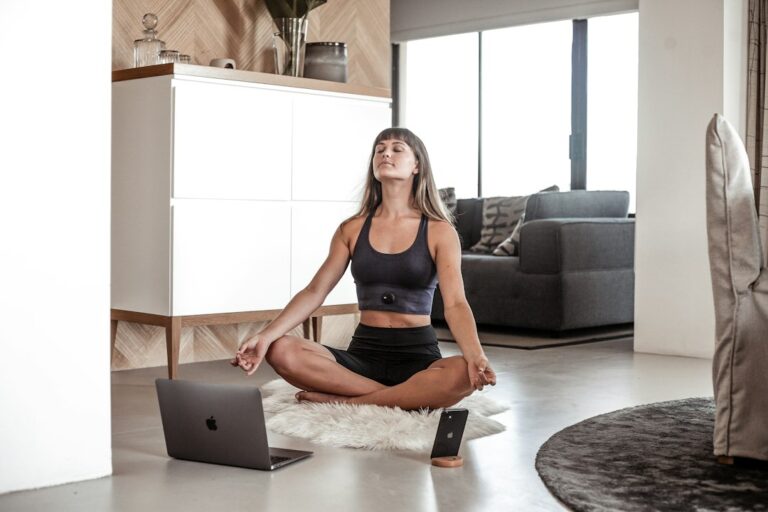
You can begin with an existing phone or laptop, a stable support, clear floor space and a dependable connection. Test this setup before buying anything. An expensive camera will not fix unclear instructions or poor sound. Add equipment when you can name the problem it solves, such as a voice that becomes faint during floor demonstrations.
| Item | What to check first | When an upgrade helps |
|---|---|---|
| Phone or laptop camera | The full movement fits in the frame | The image stays unclear after improving light and position |
| Stable stand or tripod | The device cannot tip or slip | Your current support blocks the view or moves during class |
| Microphone | Speech stays clear at mat distance | Students cannot hear you when you turn or lie down |
| Light source | Your face, hands and feet remain visible | The room becomes too dark at your actual class time |
| Power and connection | The lesson can run without interruption | Testing reveals dropouts, weak signal or battery trouble |
Keep charging leads and other cables outside the movement area. Set out the props you will actually teach with. Test adapters and microphones together with your chosen device and meeting app. A connector that fits physically may still fail to provide the audio input you expect. Buy only after checking compatibility and a suitable return policy.
How should you position the camera for online yoga?
Position the camera so students can see your whole demonstration, including hands and feet. There is no single correct distance for every room or lens. Test standing, a wide stance, overhead arms and floor work. If one position disappears from view, adjust the camera or simplify the demonstration before the lesson begins.
A horizontal view often suits a mat-based class, but check the actual student display. Use a secure support rather than balancing a device on loose objects. Place light toward you instead of putting a bright window directly behind you. Keep the background simple enough that students can follow your limbs without visual clutter.
Watch a short test on the smallest screen your students are likely to use. Does the picture show the action clearly? Can someone see where you put a hand or foot? Avoid adding several camera angles at first. One usable view is easier to manage while you learn to teach and observe at the same time.
How can students hear you during movement?
Test sound while moving through the positions you plan to demonstrate. Speaking beside a laptop is a different test from speaking at the far end of a mat. Turn your head and try a floor position. Ask a listener to repeat an instruction back. If words disappear, fix that problem before improving the picture.
A clip-on microphone can help when the built-in microphone is too far away. Check for cable pulling and fabric rubbing. Wireless equipment needs a battery and connection check. Listen to the student-side sound, not just the microphone’s indicator light. Begin without music if it competes with your voice or adds another setting to manage.
Close noisy apps and silence avoidable notifications before class. If a second device joins your test meeting, mute its microphone and speaker to prevent feedback. Explain how students can ask a question without everyone speaking at once. A brief agreed signal or a planned pause can make the class easier to follow.
Which platform should you use to teach yoga online?
Choose a platform that supports the lesson you intend to deliver. For a live class with observation, you need two-way communication and a usable participant view. Check the current meeting duration, participant limit, accessibility options and recording controls before choosing a plan. Features and prices change, so test the actual account you will use.
Zoom’s guidance for live fitness teaching recommends clear cues, controlled meeting access and checking sound and video. It also warns that virtual backgrounds can cut off moving body parts. Apply those principles to your own platform. Send joining links through your booking process rather than publishing an unrestricted class link for anyone to enter.
Decide how you will manage arrivals, microphones and questions. Explain any recording plan before students book. Consider making a separate teacher-only recording instead of capturing participants. Check the platform’s controls and the privacy requirements relevant to your work. Do not assume a recording notification settles every question about how a lesson may later be shared.
How do you give clear instructions through a screen?
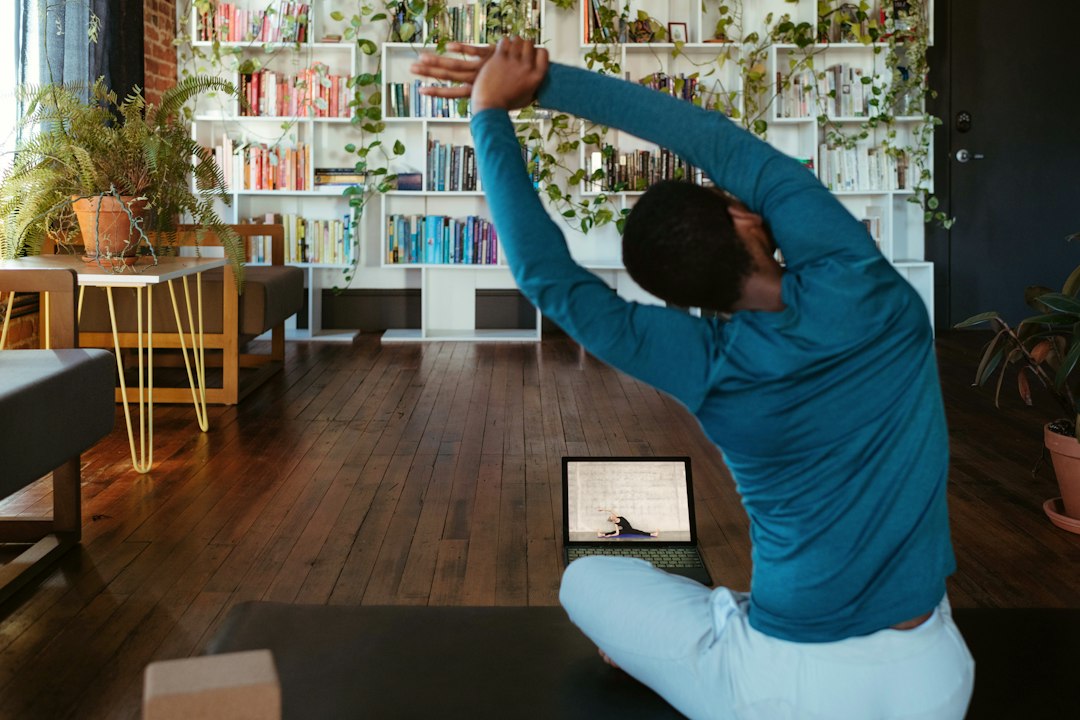
Give one action at a time, starting with a clear body position. Name the movement, offer a suitable option and explain how to pause. Students may be looking away from the screen, so the voice must carry the instruction. Demonstrate when useful, then stop moving long enough to see whether people understood.
Instead of: “Follow me and go further.” Try: “Sit on a stable chair with both feet on the floor. Slowly turn your head a little to the right. Stay within a comfortable range. Return to the middle, or leave the movement out.” This is a cueing example, not an individual exercise prescription.
Use familiar words before adding Sanskrit names or technical detail. Make left and right instructions consistent. Avoid rapid changes that require students to twist toward the screen. You cannot see everything through a camera or assess a health problem from a video tile. Invite students to stop and tell you when an instruction does not suit them.
Discuss camera preferences respectfully. A student may have privacy or connection reasons for leaving video off. Explain that you cannot observe their movement in that case, and agree whether the class remains suitable. Never describe a camera-off lesson as closely supervised personal instruction. Match the teaching format to the support you can actually provide.
What should students receive before the class?
Send a short joining note that answers practical questions before they become class interruptions. Include the date, time zone, level, props and access instructions. State the class length and the route for questions or technical trouble. Keep payment, cancellation and replay information consistent with what the student saw when booking.
- Class name, intended experience level and any preparation.
- Date and start time with the time zone written out.
- Private joining instructions and the device or app needed.
- Mat, chair or other props required for that lesson.
- Camera, microphone and recording arrangements.
- What happens if the teacher or student loses the connection.
For international students, check the date as well as the hour. A late class in one country may fall on the next day elsewhere. Ask students to test access before the session rather than installing an app at the start. Our guide to yoga class formats and costs can help separate live group teaching, private sessions and recorded access.

How do you test an online yoga class as a student?
Run a rehearsal through the same joining process your students will use. Ask a trusted tester to join from another device or location. Your own camera preview cannot show every access, sound or display problem. Test the invitation, the lesson and the end of the meeting, then fix the most disruptive issue first.
- Open the invitation and join without help from the teacher’s account.
- Check that the full demonstration stays visible.
- Repeat a spoken cue from standing and floor positions.
- Test how a student asks a question.
- Check the planned response to a lost connection.
- End the meeting and confirm what follow-up the student receives.
| Test problem | First action | Pass condition |
|---|---|---|
| Hands or feet leave the picture | Adjust the position or demonstration | The full planned movement stays visible |
| Words become faint | Check input, distance and microphone position | The listener can repeat the instruction |
| Echo or feedback | Check for two nearby devices playing meeting sound | Speech is clear without repeated audio |
| Video repeatedly freezes | Check connection stability and other network use | The test lesson runs with usable sound and picture |
Do not judge the rehearsal only by whether the meeting opened. Ask the tester where they became uncertain. Was the joining note clear? Did a cue arrive before the movement changed? Keep a short list of actual faults and retest them. This gives you a reason for each improvement instead of a shopping list of upgrades.
What should your first online yoga lesson include?
Use familiar material and leave room to explain, observe and answer questions. The first lesson should test your teaching process as well as the equipment. Avoid adding advanced practices merely to make the session look impressive. Choose content for the students who booked, within the skills and training you already have.
For example, a teacher might plan a welcome and equipment check, simple preparation, a small set of familiar movements and a quiet finish. Add time for questions and feedback. This is an illustrative planning outline, not a FitFortunes timetable or a fixed sequence. The exact practices depend on the class description and students’ needs.
Before finishing, ask whether students could hear, see and follow the instructions. Those questions are more useful than asking only whether they enjoyed it. Change one specific fault before the next session. If you need to redesign the whole lesson to make it understandable, rehearse again before offering a larger group.
What should you do if the connection fails?
Agree on a simple pause-and-contact plan before movement begins. Tell students to stop following the sequence if your picture or sound disappears. They should return to a familiar comfortable rest position rather than guess the next instruction. Explain where you will post an update and when an interrupted lesson will end.
Write down your own response too. You might reconnect once, send an update through the agreed channel and then end the session if teaching remains unreliable. Publish a clear interruption policy before taking payment. Do not keep students moving while you troubleshoot equipment away from the screen, and do not promise continuous supervision you cannot maintain.
Check your arrangements with the relevant professionals before selling classes. Ask your insurer specifically about live online teaching, recordings and students in other countries. Our yoga teacher liability insurance guide provides questions to take to a provider. Teaching yoga does not qualify you to diagnose symptoms. Students with health concerns may need individual advice from an appropriate clinician.
Build the teaching foundation before adding more technology
Learning how to teach yoga online is mainly a task of communication, observation and preparation. Improve the equipment when a test shows a real limitation. If you are still developing your teaching skills, read about the practice, methodology and supervised teaching in FitFortunes’ residential Hatha teacher training in Rishikesh. Ask the school how the curriculum fits your learning needs.
Frequently asked questions
Can I start teaching online with only a phone?
Yes, a phone can provide the camera, microphone and meeting connection if it passes your rehearsal. Secure it on a stable support and test the full movement view. The main limitation may be seeing students on a small screen while demonstrating. Ask a tester whether they can follow your cues, and check whether you can observe the group. Add another device only if it solves a specific problem.
Do I need a separate online yoga teaching certificate?
Check the requirements that apply to your work rather than relying on a universal yes or no. Your training and competence must suit the practices you teach. An employer, insurer or professional body may have additional conditions. Ask them directly about remote teaching and any training they expect. A platform account or completion certificate alone does not establish readiness to teach every student, style or specialist group.
Can students join without switching their cameras on?
They may be able to join, but the teaching limits should be clear before booking. You cannot observe movement through a camera that is off. Discuss privacy, connection needs and whether the lesson requires individual feedback. Offer another suitable format if those needs do not fit the class. Do not pressure a student to share their home on video or promise the same observation that a visible participant receives.
How much room do I need to teach from home?
You need enough clear space for your planned movements and a camera position that captures them. A mat fitting on the floor is not the whole test. Check overhead reach, movement beside the mat and floor positions without hitting furniture or cables. Different lenses and room shapes change the required distance. If your full lesson will not fit, change the demonstration or room before inviting students.
When is it worth buying a better camera?
Upgrade after you have tested lighting, position and the student’s view and can still identify a picture problem. Check sound first if instructions are hard to hear. A better camera may add setup steps without improving the lesson on a small screen. Compare compatibility, reliability and return options before buying. Choose equipment that fixes your measured limitation rather than copying another teacher’s studio or spending before a rehearsal.
Prepared for FitFortunes Holistic Wellness Yoga School, Rishikesh. Sources checked: 18 October 2026.